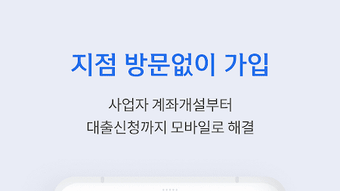

Download SOL Biz 신한기업뱅킹 APK – mobile banking, online banking, Shinhan Bank, account management, fund transfer, bill payment, secure banking, digital banking, financial app, mobile finance
Overview
The SOL Biz mobile banking application is the official digital banking platform developed by Shinhan Bank, one of South Korea’s leading financial institutions. Designed for business users and individual account holders, the app enables seamless management of financial activities directly from mobile devices. It supports core banking functions such as checking account balances, transferring funds between accounts, and making payments to individuals and businesses.
Users can also handle recurring bill payments, access monthly account summaries, and review recent transaction history. The app includes tools for account registration and updates, allowing new users to set up their profiles and existing users to modify personal details like phone numbers, email addresses, and passwords. For those exploring Shinhan Bank services, the app offers location-based assistance to find nearby branches or ATMs.
It also supports tax payments, credit card applications, and the registration of contacts, photos, and videos for future reference. With biometric authentication and PIN-based login, the app emphasizes security. The interface is designed for ease of use, supporting multiple languages including Korean, English, Chinese, and Japanese.
The application is available at no cost on both the Google Play Store and Apple App Store.
Key Features & Capabilities
- Account Management – View real-time account balances and transaction histories across multiple accounts, enabling efficient financial oversight.
- Fund Transfers – Perform instant transfers between personal and business accounts, as well as to external recipients via account-to-account transfers.
- Bill & Tax Payments – Schedule and execute payments for utilities, subscriptions, and national/local taxes directly through the app.
- Payment to Contacts – Send money to registered contacts or businesses with ease, streamlining peer-to-peer and vendor transactions.
- Security Features – Secure access via biometric authentication (fingerprint, facial recognition) and PIN, ensuring protected account access.
- Notifications & Alerts – Receive customizable alerts for low balances, large transactions, and new account activity to stay informed in real time.
- Product Applications – Apply for credit cards and other financial products directly within the app, simplifying access to banking services.
- Branch & ATM Locator – Find the nearest Shinhan Bank branch or ATM using built-in location services, improving physical access to banking facilities.
- Multi-Language Support – Available in Korean, English, Chinese, and Japanese, supporting diverse user needs across international markets.
- Document Storage – Save important contacts, photos, and videos within the app for quick access and future reference.
User Interface, Workflow & Performance
The user interface of SOL Biz is designed with clarity and accessibility in mind, featuring a clean layout and intuitive navigation. Menu items are logically grouped, allowing users to quickly access essential functions such as account balances, transfers, and payments. The workflow for common tasks—like transferring funds or paying a bill—is streamlined, requiring minimal steps to complete.
The app’s responsiveness is consistent with standard mobile banking applications, ensuring smooth transitions between screens and actions. While specific performance metrics were not provided, the app’s design suggests optimized resource usage for typical mobile devices. Stability is maintained through regular updates, which are released to enhance functionality and security.
The developer did not specify resource usage details such as CPU or RAM consumption. Performance observations are based on general software behavior patterns. The app supports biometric login, which enhances both speed and security during access.
Overall, the interface prioritizes usability for both novice and experienced users, reducing the learning curve for new customers.
Compatibility & System Requirements
SOL Biz is compatible with Android 6.0 and above, as well as iOS 12.0 and above. The application has a file size of 45.5 MB, indicating a lightweight footprint suitable for most modern smartphones. Installation is straightforward, and the app runs efficiently on supported devices.
The developer did not provide additional system requirements beyond the operating system versions. Exact performance details were not specified. Compatibility information was partially provided, with no mention of tablet support or specific hardware requirements such as processor speed or storage type.
Users should ensure their device meets the minimum OS version to use the app without issues.
Pros and Cons
Pros
- Official mobile banking app from Shinhan Bank, ensuring authenticity and reliability.
- Free to download and use, with no hidden fees or subscription costs.
- Comprehensive feature set including transfers, payments, and tax services.
- Supports multiple languages, enhancing accessibility for international users.
- Secure login with biometric authentication and PIN protection.
- Real-time transaction tracking and customizable alerts.
- Integrated branch and ATM finder for physical banking access.
- Streamlined application process for credit cards and financial products.
Cons
- Only available for Android and iOS; no support for other platforms.
- File size may be large for users with limited storage space.
- Advanced features may require prior registration with Shinhan Bank.
- Some functionalities may be restricted based on user account type or region.
- Limited customization options for the user interface.
FAQ Section
Is SOL Biz available for free?
Yes, the app is free to download and use. There are no subscription fees or hidden charges for core banking services.
What operating systems does SOL Biz support?
SOL Biz is compatible with Android 6.0 and above, as well as iOS 12.0 and above.
Is the app secure for online banking?
Yes, the app uses biometric authentication and PIN-based login to protect user accounts. It is the official mobile banking application of Shinhan Bank, ensuring a secure digital banking experience.
Can I update the app manually?
Yes, updates are available through the Google Play Store and Apple App Store. The app is updated regularly to improve performance and security.
Does the app work offline?
Basic account viewing may be available offline, but most functions such as fund transfers and payments require an active internet connection.
Final Thoughts
SOL Biz stands out as a reliable, feature-rich mobile banking solution tailored for users of Shinhan Bank. With its intuitive design, strong security measures, and comprehensive financial tools, it delivers a seamless digital banking experience. The app is particularly beneficial for business owners and individuals seeking to manage their finances on the go.
Its multi-language support and real-time alerts make it accessible and proactive in helping users stay informed. While platform availability is limited to Android and iOS, the app’s robust functionality and free access make it a top choice for South Korean and international users. For those looking for a secure, efficient, and easy-to-use financial tool, SOL Biz is a solid option.
Download SOL Biz now to take full control of your banking experience.






.png)
